I recently ran into a frustrating little issue with UniFi Access, specifically the door hub (the UA Hub). I had wired up a door position sensor, and everything looked like it was working — but the application insisted otherwise.
Here's what I saw. The door position terminal on the hub itself indicated that the sensor was doing its job: when I opened the door, the terminal would blink, and when I closed it again, it wouldn't. So electrically, the hub was clearly sensing the state of the door. But when I opened the door up in the UI and checked the terminal there, it appeared grayed out, as if nothing was connected at all. The sensing worked, but it was never reported to the application.
The solution turned out to be something I did not expect.
As far as I can tell, UniFi has decided not to surface the door position information in the UI — even though it's clearly available on the terminal — unless it also detects that the cables are physically mounted in the terminal. In other words, there's a presence detection step that's separate from the actual signal sensing. And if you use very thin signal cables like I did, they simply aren't big enough to trigger that presence detection. So the hub knows the door state, but refuses to report it because it thinks nothing is plugged in.
My first attempt at a fix was to use a wire ferrule (the little metal tube you crimp onto the end of a wire and trim). I tried a 0.5 mm ferrule, but it was too thick to fit into the terminal.
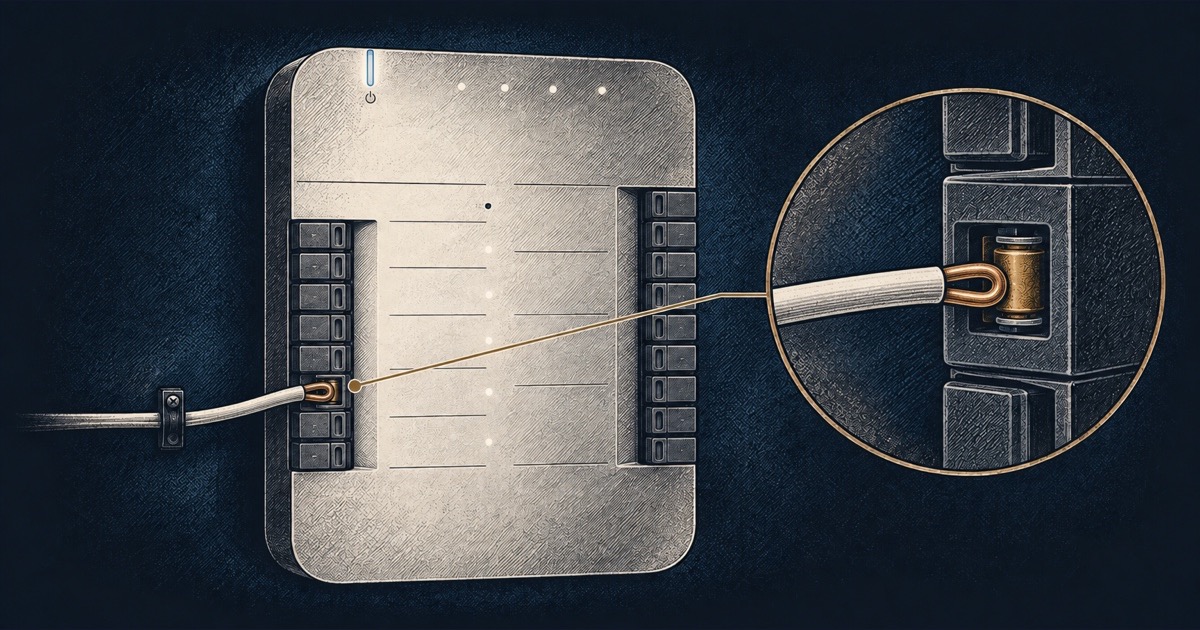
What ended up working was much less elegant: I just folded the wire back on top of itself, twisted it a bit to bulk it up, and pushed that into the terminal. That was enough to make the terminal register something as physically connected.
And that did the trick. Now when the door is open, the terminal shows solid white, and when I close it again, it turns off — and, crucially, the state actually shows up in the UI.
So if your UniFi Access Hub is clearly sensing your door but stubbornly showing the terminal as disconnected, check your cables. The hub may just need something a bit thicker in the terminal to convince it that a wire is really there.